
Bianca O.
05.06.2026, 10:41
# App Usage
Hello everyone,
We downloaded the app and set everything up in the free version, and we thought it worked pretty well.
Then we upgraded to the paid version, and because of the monthly display, half of the garden beds are now empty and will appear in the following months.
We don’t find this helpful at all—why can’t we view all the plants at once? Because this way, we don’t have an overview.
How do you use the app? How are you getting along with it?
We were hoping this would give us an overview for the future of what to plant and when.
Because up until now, we’ve always bought and planted everything in May, but that’s not the right time for everything.
So I wanted an app that helps us do everything at the right time.
Actually, what we’d really like is to be able to feed the app a list of what we’d like to grow, and then have it recommend what works best—when, where, and what to plant together in the raised beds.
We only sow carrots and radishes ourselves; everything else we get as small plants.
Since we both work full-time and also have other time-consuming hobbies, we had hoped the app might be helpful.
But right now I don’t really see any benefit in it, so I’d be very happy if you could figure it out and use the app.
Warm regards
and thank you so much for your contributions
Bianca
2 Likes
6 Comments
Comments
In der monatlichen Planung sind alle Pflanzen in den Monaten im Beet wo sie angebaut werden, also von der Pflanzung bis zur letzte Ernte.
Wenn man die Pflanze eher oder später als empfohlen auspflanzt bzw. eher oder später aberntet/überwintert, kann man das auch in den Einstellungen ändern.
Dort auf Zeiträume anpassen,...
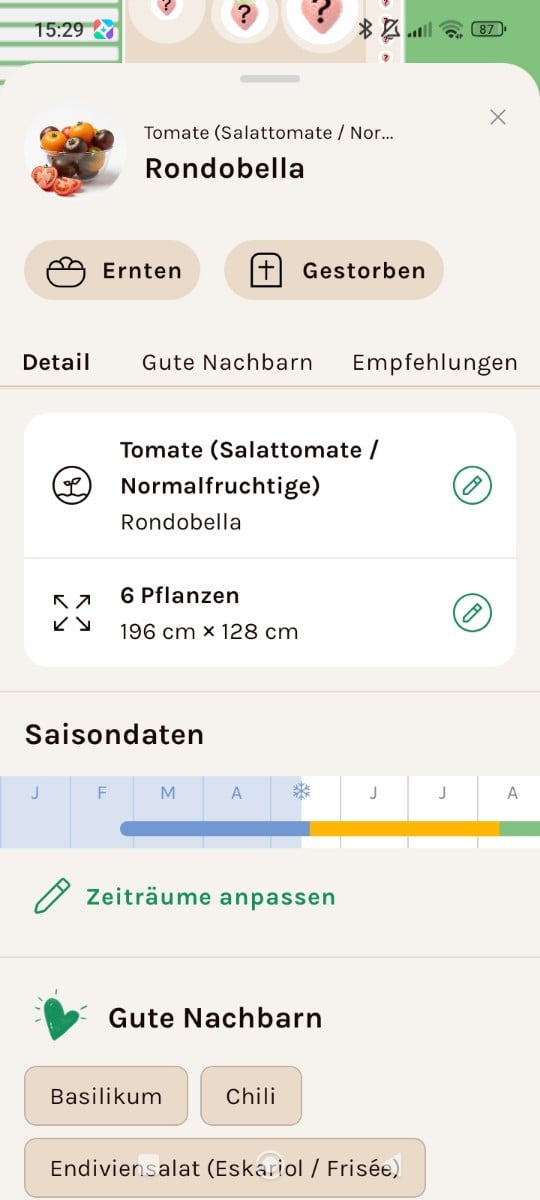
... Und hier kann man alles ändern wie man es selbst macht.
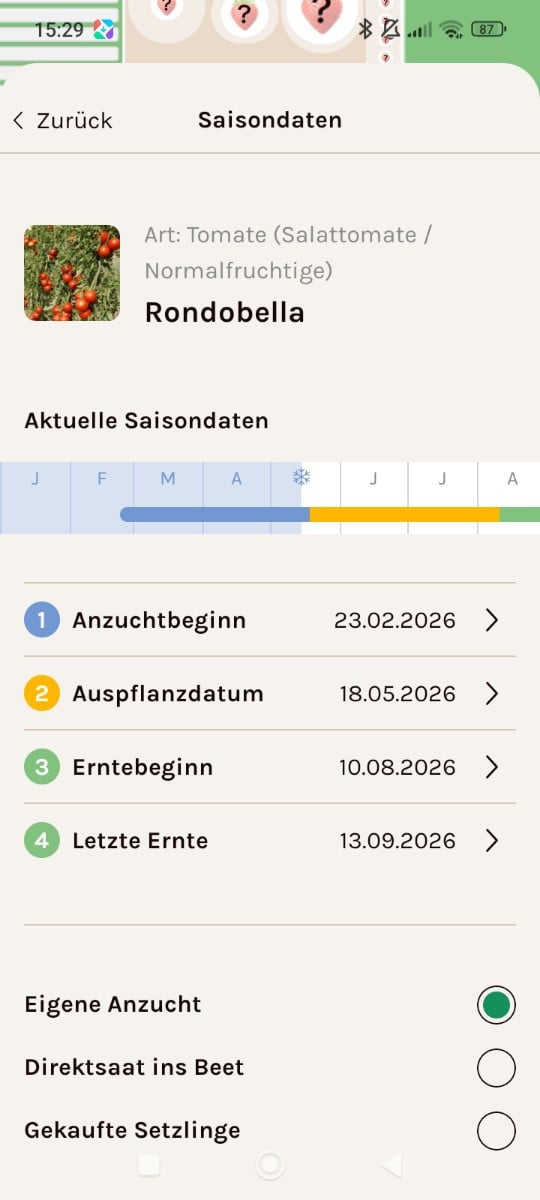
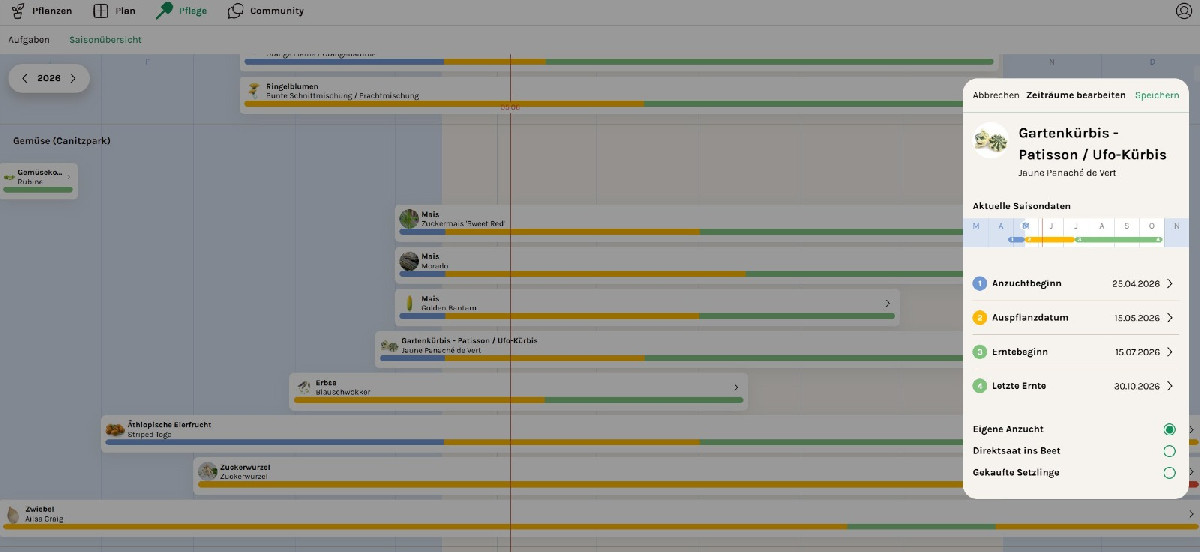
Im Pflegeplan (bzw. Saisonübersicht auf Handy) werden deine Pflanzen in einer Liste angezeigt. Markierst du eine Pflanze kannst du, wie es schon @Alexandro schrieb, deine persönlichen Anzucht-, bzw. Pflanzdaten eintragen. Abhängig von der Art, Sorte und Standortbedingungen variieren die Pflanzdaten ja auch. Ebenso kann man verschiedene Pflanzensorten zu unterschiedlichen Zeiten im Jahr anpflanzen bzw. aussäen (Frühjahr und Herbst).
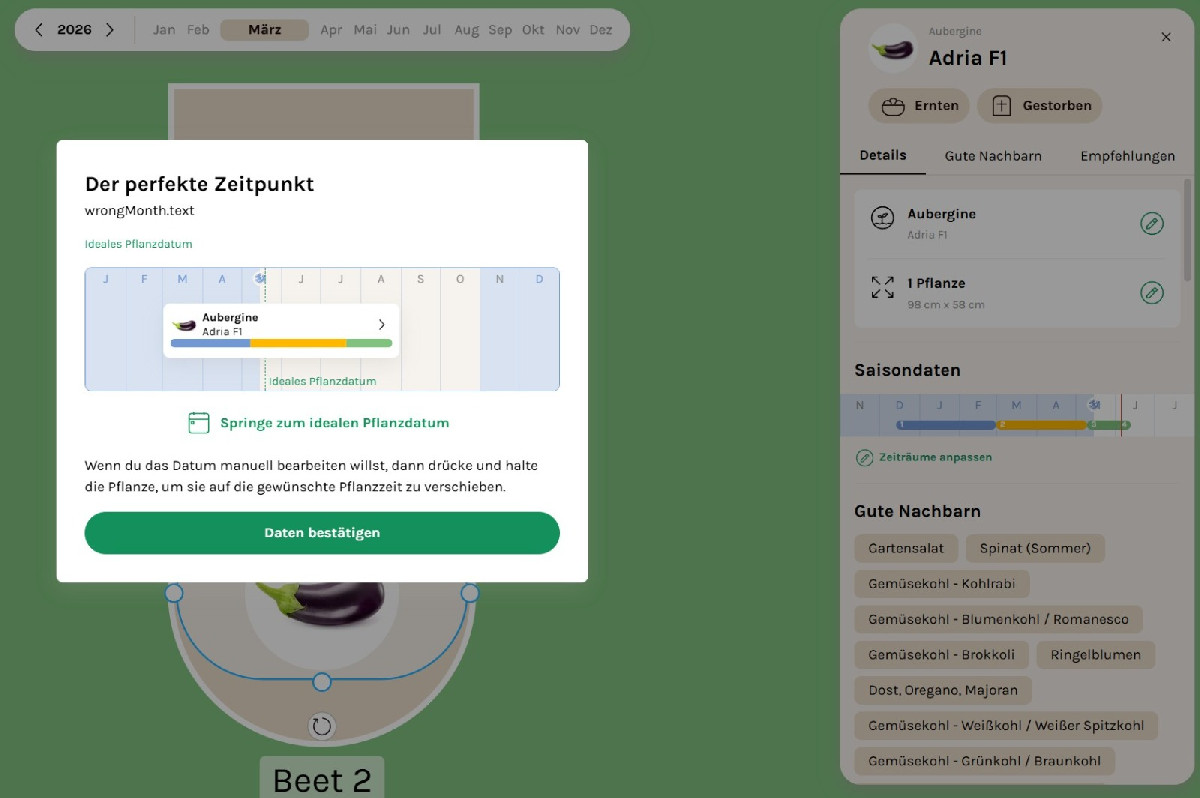
Wenn du eine Pflanze in das Beet ziehst, zu einem Zeitpunkt, wo sie normalerweise noch nicht gepflanzt wird, erscheint dieses Fenster. Dort kannst du zum idealen Pflanzdatum springen lassen, bzw. die Pflanze manuell zu deinem gewünschten Monat verschieben. Danach nur noch "Daten bestätigen" anklicken. Die Zeiten, die hier Blau, Gelb und Grün gekennzeichnet sind, sind die im Lexikon hinterlegten Saisondaten der Sorte. Diese können allerdings nur eine mögliche Anbauzeit beinhalten. In der markierten Sorte findest du ebenfalls geeignete und ungeeignete Beetnachbarn sowie Anbautipps.
Du kaauch deine lieblingssorten angeben, ein leeres Beet starten und dann den Zauberstab nutzen unter der Angabe mit Lieblingssorten auffüllen. So bekommst du wahrscheinlich am ehesten das,was du beschreibst. Dann kannst du auf die Pflanzen gehen und dort vorgezogene Setzlinge angeben.

